Introduction: Your SIEM Decision…It’s About Your Career
If you’re jumping into the blue team world—whether you’re building your first lab or aiming for a Tier 1 SOC job—you face a big choice: Which SIEM tool should you master?
The two dominant players are Splunk and Wazuh.
This decision is about more than just software. It’s about cost, the learning curve, and the skills that hiring managers actually look for. Splunk is the industry giant, but Wazuh is powerful, zero-cost and open-source.
You have the certifications. You’ve watched the YouTube videos. You know the
theory.
But when you apply for Entry-Level SOC Analyst roles, you keep hearing the same
thing: “We are looking for someone with more experience.”
It’s the classic cybersecurity catch-22: You need a job to get experience, but
you need experience to get the job.
The solution? Build your own experience.
Hiring managers don’t just want to see certifications; they want to see
application. They want to know that you can spin up a server, ingest logs,
and detect a threat. In this guide, I’m giving you 4 actionable Blue Team
projects with another one coming soon you can build right now to
show that you are ready for the SOC.
Breaking into cybersecurity is tough — many entry level jobs want “2-3 years of
experience” putting many applicants in a catch-22 situation.
My service offering Blue Team Boot-Up shows you how to package your
transferable skills, homelab deployment experience, certifications and
self-study into a strong resume, LinkedIn profile, and interview presence.
I also provide you with outreach scripts to start real conversations with
recruiters and analysts already in the field.
How to Build a Cybersecurity Lab in 2025: Zero to Hero
Practicing pentesting and blue team skills is definitely doable in your own
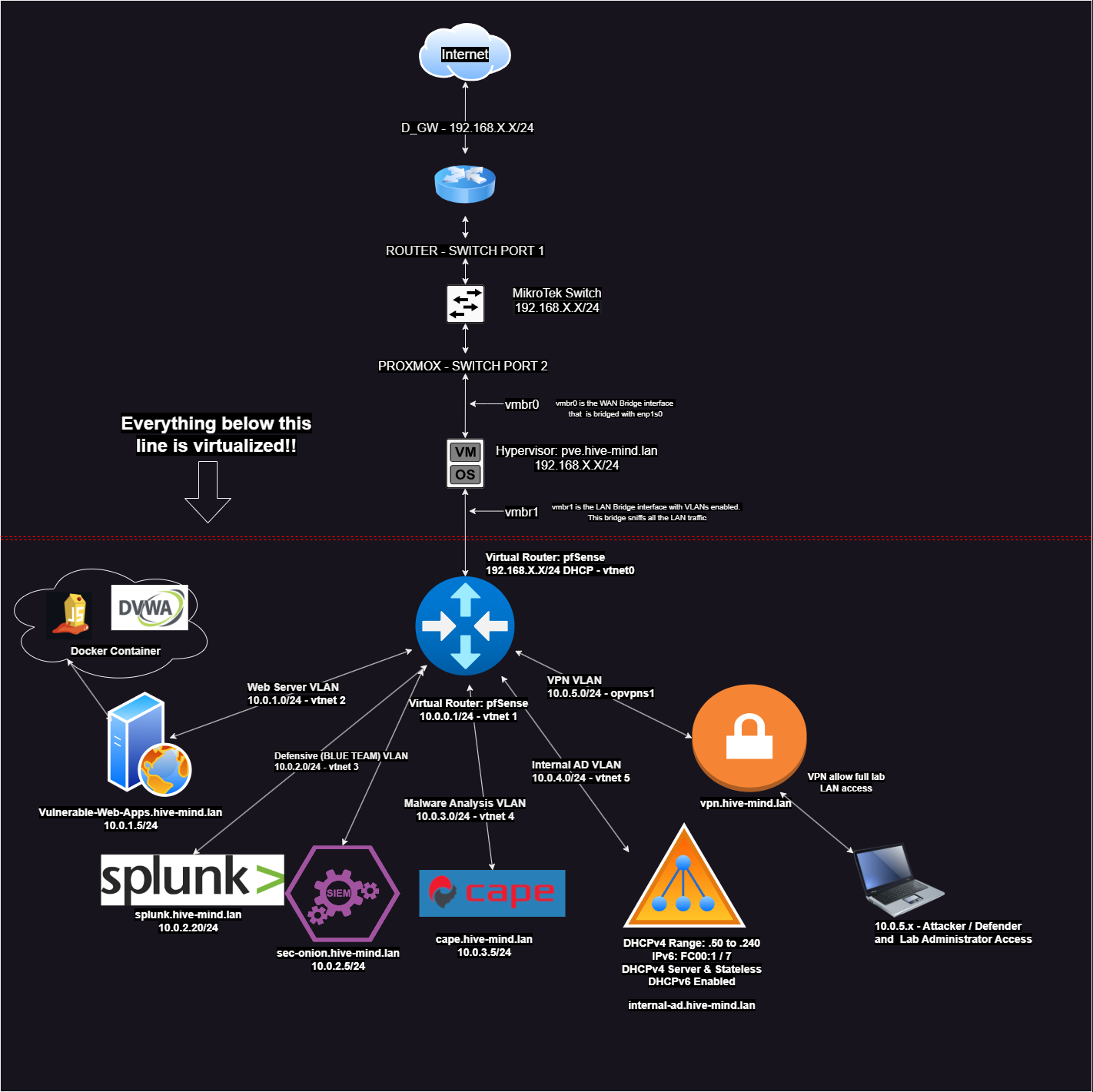
customizable home-made lab. This series walks you through building a
cybersecurity home lab—updated for 2025.
Setting up CAPEv2 involves installing
and configuring a malware analysis sandbox on a Linux system, typically Ubuntu.
CAPEv2 is an advanced fork of the Cuckoo Sandbox, designed for malware
configuration and payload extraction. Below is a step-by-step guide to get you
started, based on the official documentation and community discussions.
Note: The Proxmox hypervisor uses nested virtualization, CAPEv2 running on an
Ubuntu VM will work with nested virt enabled, but for serious use, install
CAPEv2 on a dedicated Ubuntu box. For testing or a homelab, this is fine for
our purposes. We also have to make sure Proxmox itself then is secure (just in
case malware escapes the VM).
In our previous article we setup our SOC/SIEM combo with Security Onion. In
this article we will setup the Splunk SIEM. Splunk is now alongside Security
Onion in our blue team subnet.
In this part, I will show you how to setup the Security Onion SOC/SIEM and the
endpoints that need to be monitored. In the next article we setup Splunk as our
SIEM. As a pre-requesite for this article it is assumed you already have your
endpoints configured and ready for Security Onion elastic agent endpoint .msi
installations.
All of these parts have instructions that are cumulative for the home
lab. You should be familiar with part one and part two before applying
the instructions in part three (this article). If you haven’t already,
check out part
one and part
two in this cyber home lab creation series.
Setting up a cybersecurity lab at home is the best training ground to sharpen
your skills as a SOC analyst. In Part One of this series, I’ll walk you through
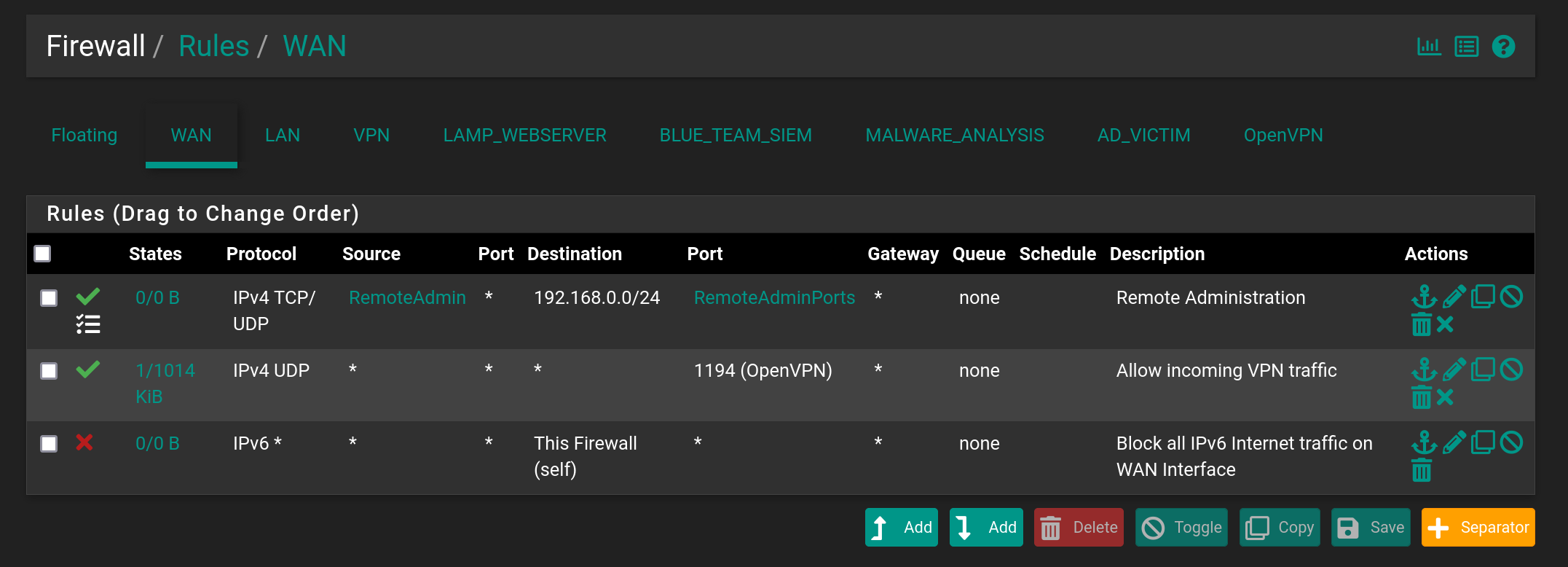
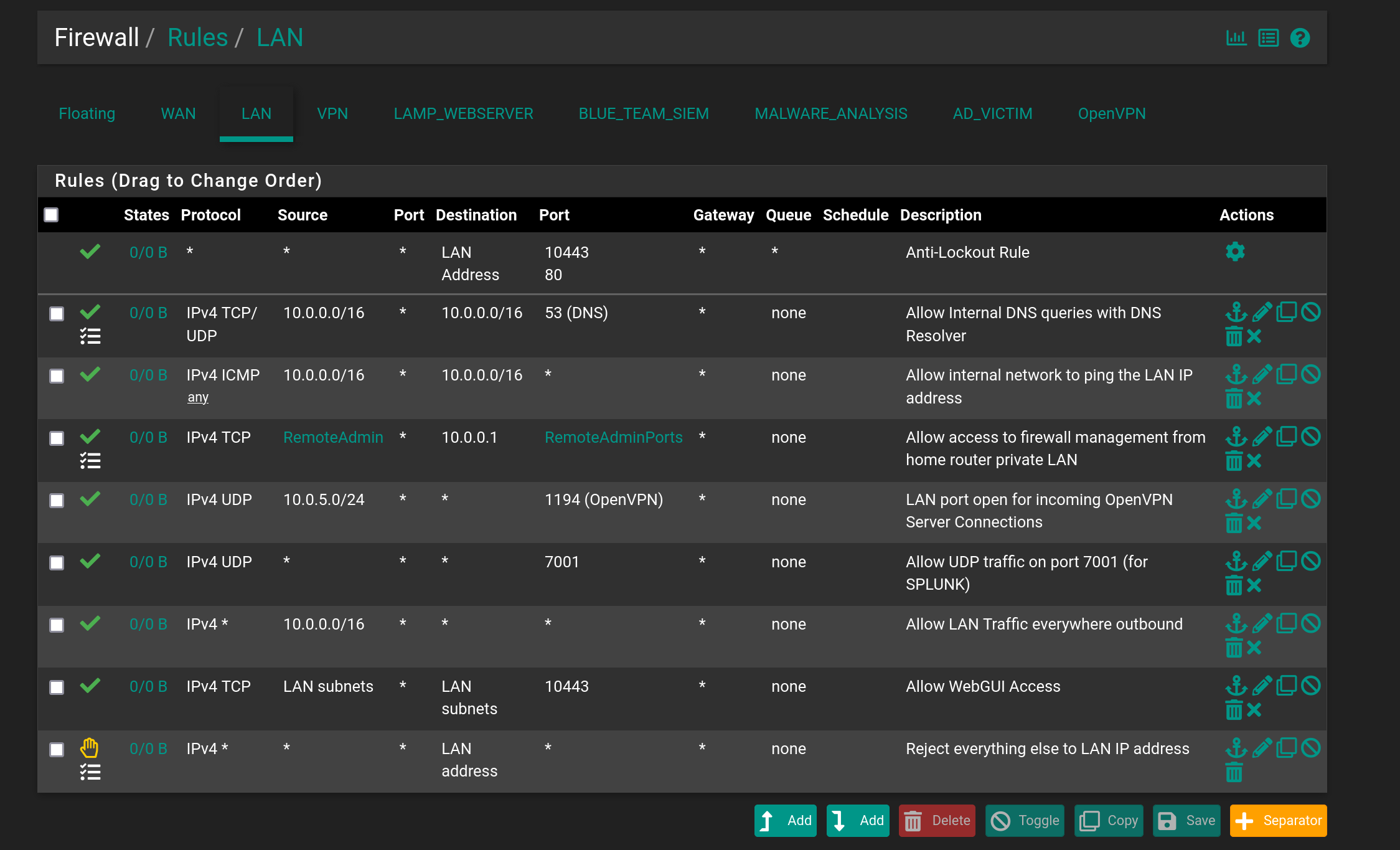
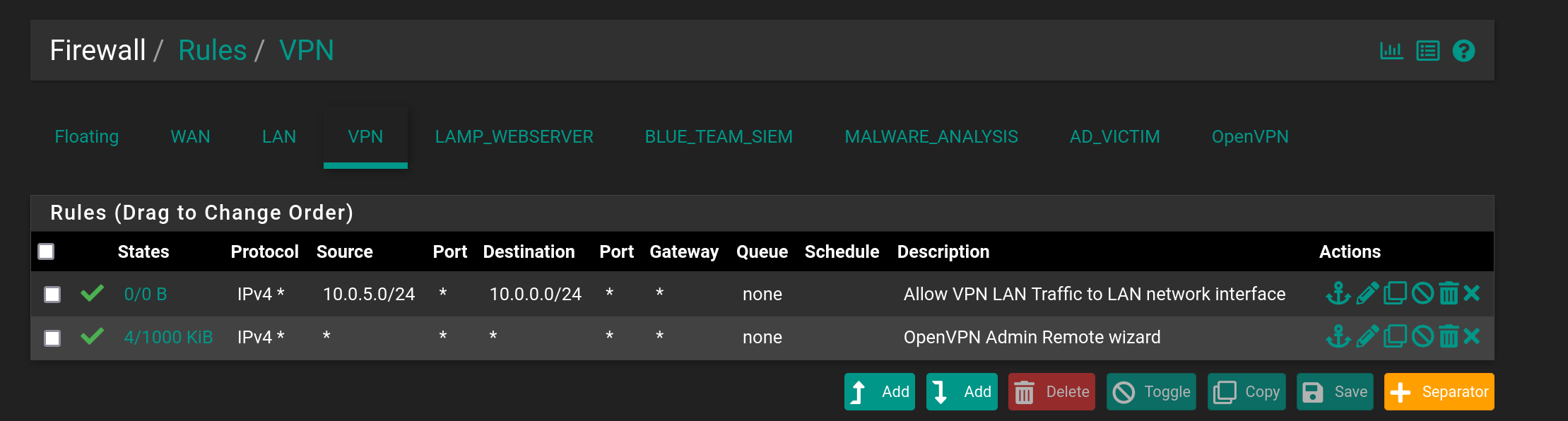
the hardware, initial Proxmox setup, and network configuration with fixes from
my own lab woes (e.g., a misconfigured /etc/network/interfaces). Whether you’re
troubleshooting VLANs or prepping for Security Onion, this guide’s got you
covered.
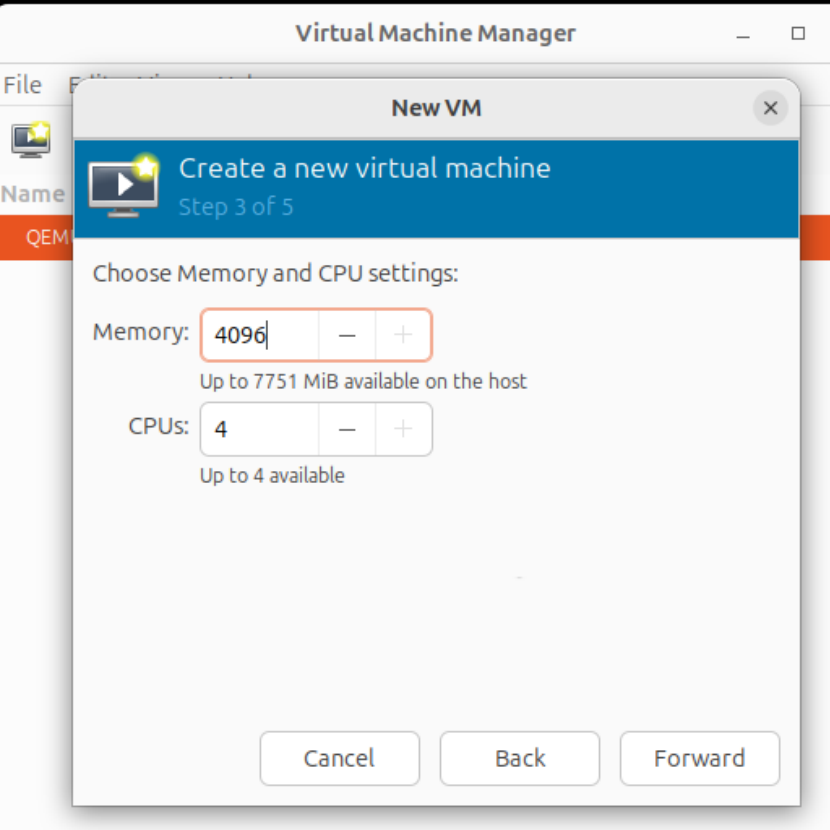 2. I picked Windows 10 Pro in the installation wizard when Windows is
booted from the iso.
2. I picked Windows 10 Pro in the installation wizard when Windows is
booted from the iso.